
Free AI job search and resume tools, one for every step of the hunt
Check your resume, strengthen its bullets, tailor it to a posting, find fresh jobs and keep track of what you sent. Each tool does one job, shows its work, and never invents experience.
Where each tool fits
A job hunt is five moves, repeated
Get the resume right once. Then for every job: find it, tailor to it, apply, and write down that you did.
01
Get the base right
ATS Resume Checker
Two scores and every issue, listed
02
Fix the weak lines
Bullet point generator
Three stronger versions of a line
03
Find the right jobs
Job search and alerts
Fresh postings from company sites and major boards
04
Tailor to each one
Tailor Resume
The posting's terms, where you can back them
05
Keep count
Application tracker
Saved, applied, interviewing, offer
Resume tools
Free AI resume tools
From finding what is wrong, to fixing a line, to rewriting the whole resume for one posting.
ATS Resume Checker
Find out what is wrong with your resume
Upload your resume and get two scores: how well it reads to an ATS and a recruiter, and how well your skills match live demand for your role. Every issue is listed.
Led month-end close for 3 entities in NetSuite
Tailor Resume
Rewrite your resume for one job
Paste a job posting or its link. The tool finds the terms the job is built on, matches them to your experience and rewrites the lines that matter, with every change highlighted.
I was responsible for keeping track of 12 client projects…
Tracked 12 client projects and sent weekly status reports to every client
Bullet Point Generator
Turn what you did into a strong bullet
Describe one thing you did in your own words and get three resume bullets built from the same facts. It never adds a number you did not write.
Rewrite for Your Role
See your resume the way your field writes it
Open the example page for your role, drop your resume on it, and get your bullets and summary rewritten against what postings for that role ask for.
Make the summary two lines
Done. Shown for your review.
Resume Editor
Edit by typing, or by asking
A resume editor that works like a document: click anywhere and type, drag sections, undo anything. Or ask for a change in plain words and review the edit it makes.
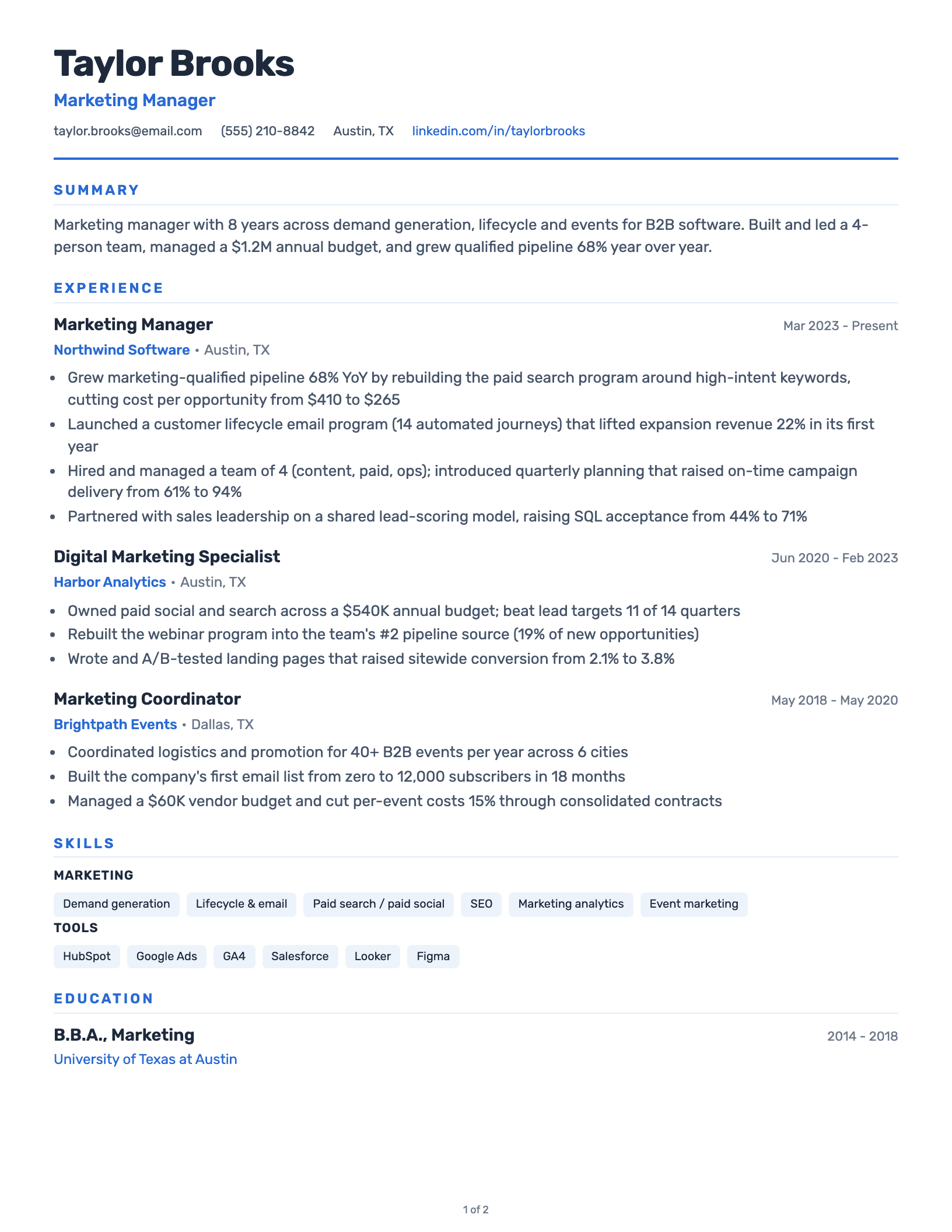
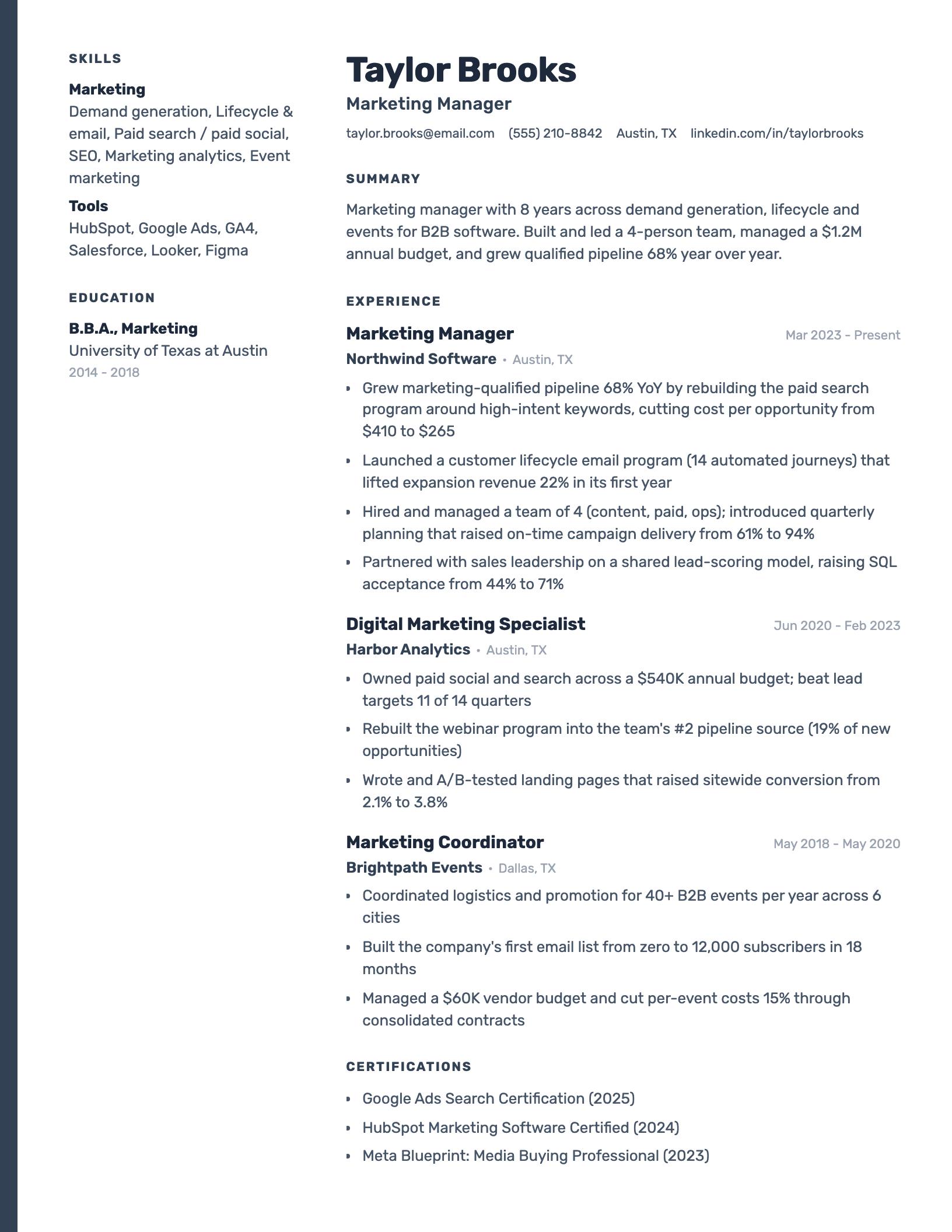
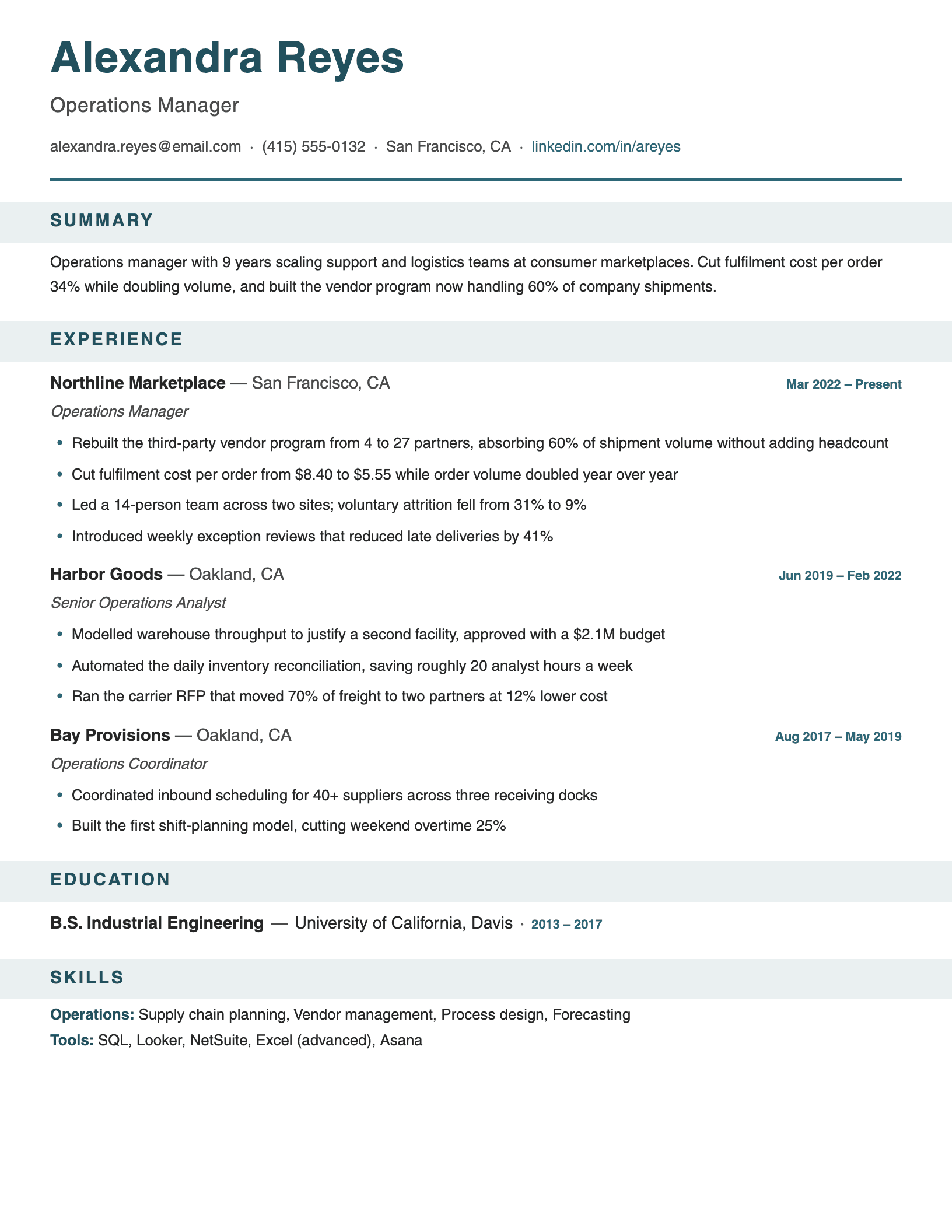
Resume Templates
Start from a layout that parses cleanly
ATS-friendly resume templates you can download as Word, PDF or Google Docs, or fill with your own resume in one drop. Switch designs anytime without retyping.
Job search tools
Free job search tools
Find the postings worth tailoring for, hear about new ones early, and keep count of what you sent.
Job Search
Search fresh postings in one place
Search jobs by title, keyword and place across company career sites and major boards, updated through the day, with the full description on the page.
Job Alerts
Hear about new matches first
Save a search and get an email when new jobs match it. Applying early matters, and an alert is the cheapest way to be early.
Saved
Applied
Interview
Offer
Application Tracker
Know where every application stands
Save jobs and move them through Saved, Applied, Interviewing and Offer, each with the tailored resume you sent, so follow-ups never depend on memory.
Visa Sponsorship Jobs
Search jobs that hire from abroad
Job search across Germany, the Netherlands, Ireland, the Gulf and more, with postings that mention visa sponsorship marked on the card.
The method
How to use AI tools in your job search
AI is good at the slow, repetitive parts of applying and bad at knowing what is true about you. Use it for the first and keep the second for yourself.
- 01
Fix the base resume once.
Run it through a checker before you apply anywhere. Parsing problems and weak bullets cost you on every application, so they are the cheapest thing to fix.
How an ATS reads a resume - 02
Let AI do the rewording, not the remembering.
Give the tool the facts: what you did, how many, how often. Let it handle verbs and order. Anything it cannot have known is a red flag.
Resume action verbs - 03
Tailor for each job you care about.
Recruiters search applicants for the terms in their own posting. Mirroring those terms, where your experience supports them, is what tailoring means.
How to tailor your resume - 04
Apply early, and to fewer, better-matched jobs.
Alerts get you there in the first days of a posting. A tailored application to a job you fit beats ten identical ones.
Applying to many jobs without losing quality - 05
Be careful with tools that apply for you.
Auto-apply tools send volume, not fit, and you lose track of what was sent in your name. Read what each one actually does before you hand it your resume.
AI auto-apply tools, reviewed
Good uses
- Reading a posting for its real requirements
- Rewording your experience in the posting's terms
- Catching formatting an ATS cannot parse
- Turning a rough note into a clean bullet
- Tracking what you applied to, and when
Keep these yourself
- Deciding which jobs you actually fit
- The facts: numbers, tools, results
- Anything you would have to defend in an interview
- Pressing send
FAQ
Questions about the tools
Free · about a minute
Start with the resume.
Everything else follows.
See what your resume gets right and wrong, then pick the next tool from there.
No sign-up required · PDF or DOCX